
Artificial intelligence is changing education, but the future still belongs to teachers who use it with purpose, empathy, and professional judgment. In this post, I connect Dr. Ranjitsinh Disale’s QR-coded textbooks to the Human-Centered AI Teaching Continuum, and walk through exactly how I use AI to build sensory accommodations, multilingual visual supports, and social stories for multilingual learners and students with disabilities. If you’ve ever wondered whether you’re “supposed to become an AI expert now,” this one’s for you: practical strategies, real reflection, and a framework you can actually use Monday morning.
Okay, so. Let’s start here.
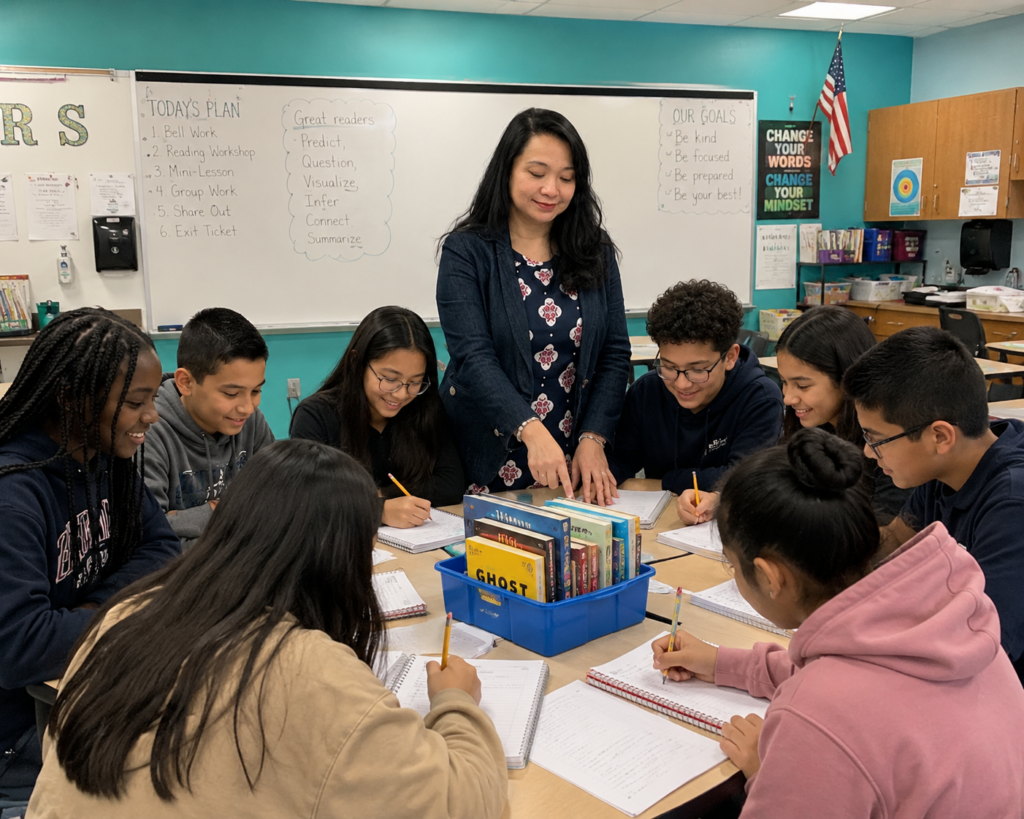
A few years back, I sat in a room full of teachers who were, frankly, exhausted. Not lazy-exhausted. Trying-so-hard-and-still-missing-something exhausted. They had lesson plans. They had curriculum binders three inches thick. They had every resource the district could throw at them.
And their kids were still struggling.
One student understood the concept perfectly but couldn’t get past the language sitting on top of it. Another had every bit of the ability needed to participate, but needed the information presented in a completely different way. Another just needed visuals. Repetition. A routine he could predict before it happened, because unpredictability was the actual barrier, not the content.
I’ve coached a lot of new teachers over the years, and here’s the thing I say to every single one of them, usually within the first week: before you ask “what tool should I use,” ask “what barrier is my student actually experiencing?” Because great teaching has never, not once, started with technology. It starts with noticing. It starts with knowing your kid.
This is exactly the mindset behind one of the most quietly brilliant examples of human-centered innovation in education — Dr. Ranjitsinh Disale’s QR-coded textbooks. And it’s exactly the mindset I think we need right now, as AI moves into our classrooms whether we feel ready or not.
What Happens When a Teacher Notices the Barrier Before Reaching for the Tool?
Direct answer first: innovation that actually works for kids never starts with “here’s a cool new tool.” It starts with a teacher watching a specific child hit a specific wall.
When Dr. Disale was teaching in a village in Maharashtra, India, he noticed something a lot of us have noticed in our own rooms — his students’ textbooks simply weren’t accessible in the language they actually understood. So he didn’t wait for someone else to fix it. He embedded QR codes directly into the textbooks, linking to videos, audio explanations, poems, translated material, whatever it took to get the content to actually land.
Here’s what I want you to sit with for a second: the QR code wasn’t the innovation. He was. The technology was just the bridge he built once he’d already done the hard part, understanding exactly where his kids were getting stuck.
I talk about this a lot in my video on the Human-Centered AI Teaching Continuum, because I think it’s the single most important lesson we can carry into the AI era. The question was never “can this technology create something impressive?” Of course it can. The real question, the one that actually protects kids, is this: can we use this to remove a barrier while protecting the relationship that makes the learning mean something?
Dr. Disale’s more recent work digs into exactly this. He’s been asking hard questions about how AI is actually influencing classrooms, not the hopeful theory but the real data. If you haven’t seen it, his video walking through his AI research findings is genuinely worth thirty minutes of your life. One of the things his research team found, working with roughly 1,500 teachers, students, and parents, is something they’re calling “machine-to-machine learning” — teachers using AI to generate assignments, students using AI to complete them, and neither side fully aware of how much the other was leaning on it. Which, I mean, that’s not a technology problem. That’s a relationship problem wearing a technology costume.
🎯 QUICK WIN: Before you open any AI tool tonight, ask yourself three things: What barrier is preventing this specific student from accessing this specific lesson? What support would actually remove that barrier? And only then — can AI help me build that support faster? In that order. Not the other way around.
Am I Supposed to Become an AI Expert Now?
Short answer: no. I truly think that question, and the panic underneath it, is the most common thing I hear from teachers right now.
Look, AI is moving fast. Super fast. Tools that generate lesson plans, build assessments, translate materials, summarize a 40-page IEP evaluation into something you can actually use before your prep period ends…I know, it’s a lot. It’s exciting and it’s overwhelming in the same breath, and if you’ve felt both of those things at once, you are not behind. You’re paying attention.
Here’s what I tell teachers instead: you’re not supposed to become an AI expert. You’re supposed to become an even stronger version of the teacher you already are.
A teacher who understands literacy development uses AI to build better literacy supports, not generic ones. A teacher who understands special education uses AI to build accommodations that are actually individualized, not copy-pasted from last year’s template. A teacher who understands multilingual learners uses AI to build language scaffolds that respect where a student actually is on their language journey, not where a pacing guide assumes they should be.
The tool isn’t the solution. It never was. Your thinking is the solution. I say this so often in the Human Centered AI Teaching Continuum video that I probably should’ve trademarked the sentence.

What Is the Human-Centered AI Teaching Continuum?
Direct answer: it’s a five-stage progression that keeps the teacher — not the tool — at the center of every decision. It moves like this:
Expert Teacher → AI Partner → Inclusive Design → Evidence & Reflection → Student Empowerment.
Let me walk you through what each stage actually looks like in a real room, because a framework that only lives on a slide doesn’t help anybody on a Tuesday morning.
Stage 1: Does Expert Teaching Still Come First?
Yes. Always. Before AI touches anything, you need to already know your kids — their language development, their sensory needs, their strengths, the specific thing that makes them shut down versus the specific thing that lights them up.
AI doesn’t know that a worksheet with too much text on one page will overwhelm a particular student before he’s even read the first sentence. It doesn’t know that another student understands a concept beautifully through movement and gesture but completely shuts down with a lecture. It doesn’t know that the kid who looks disengaged in the back row is actually processing every word — just differently, and slower, and that’s fine.
You know that. That’s not replaceable, and honestly, I don’t think it’s even in danger of becoming replaceable — I think that idea gets more attention than it deserves.
In my own practice, the small stuff has always made the biggest difference: visual schedules, first-then boards, built-in sensory breaks, choice boards, social stories tailored to a specific situation a specific kid is nervous about. AI can help me build these faster. It cannot tell me which ones a particular student actually needs. That call is still, and will always be, mine.
Stage 2: Can AI Actually Become a Thinking Partner?
Here’s where the mindset shift happens, and it’s subtle but it matters. Instead of asking “how can AI do this for me,” you start asking “how can AI help me become more effective at this?”
Practically, that might look like using ChatGPT or Google Gemini to draft vocabulary supports and sentence frames for a multilingual learner, using Microsoft Copilot to simplify a dense explanation into something a student can actually access, or pulling Canva’s Magic Studio to build a visual schedule or a translated family communication in about a tenth of the time it used to take me.
None of these tools create meaning. They create possibilities. You’re still the one deciding which possibility actually fits the kid in front of you.
🎯 QUICK WIN: Pick one task you dread every week — differentiating a reading passage, translating a family letter, building a visual schedule from scratch — and try handing the first draft to AI this week. Not the decision. Just the draft.
Stage 3: What Does Inclusive Design Actually Look Like in One Lesson?
Let me give you a composite example, built from patterns I’ve seen across a lot of different classrooms and grade levels, not any one specific student or school, just the shape of what this tends to look like.
Say you’re teaching a science lesson on ecosystems. The traditional move is one textbook passage, handed to everyone, and you hope it lands. But your students didn’t walk in with the same background knowledge, the same language proficiency, or the same sensory needs…so why would one static passage reach all of them?
A human-centered AI approach might build a simplified version of that same passage, vocabulary cards with visuals attached, key terms translated into two or three home languages, an audio version for a student who processes better by listening, comprehension questions pitched at a few different levels, and a short social story connecting the abstract concept to something the student already experiences in daily life.
The content stays exactly the same. The pathway changes. And that difference — that’s inclusion. Not a separate program bolted on the side. The actual lesson, built wider from the start.
See, I got tired of just describing this idea, so a few nights ago I started actually building it (even if I don’t have any background at all in coding, I just really love technology). I’m calling them the A.C.C.E.S.S. AI Instructional Systems — and the concept is simple: you feed one system a single topic, text, or video, and it automatically generates versions tailored to different reading levels, languages, and abilities. Not a static worksheet. An actual tool that sits on your screen and does the differentiating with you, in real time. I’ve built fifteen of these so far (goal is 50+ before school year starts), and here’s one you can try right now — an Interactive ELL Rubric Generator that builds WIDA-aligned, emoji-supported rubrics with multilingual self-reflection prompts, so a newcomer student and a Level 4 student can both look at the same assignment and understand exactly what quality work looks like, in whichever language gets them there fastest. And here’s another example, I also built the Interactive Lesson Scaffold & Assessment Generator that builds on our core philosophy and integrates our precise A.C.C.E.S.S. Literacy Framework, WIDA level differentiations, Home Language supports, dynamic criteria/scaffold generation, and local storage state management into a modern, accessible UI. It’s the ecosystems example above, except you don’t have to build it by hand at 9pm — the AI system builds the first draft, and you still make every call about what actually goes in front of your kids. Test-drive it and let me know how it works for you; it shouldn’t be perfect yet because I need your feedback. And if you are an engineer or someone who can help me build the entire amazing ecosystem for students and teachers that I have in mind, I need you. Let’s work together.
Our A.C.C.E.S.S. AI Instructional Suite is still in progress and will keep growing everyday (check it out)
Stage 4 and 5: What Happens After the Lesson Is Taught?
Quickly, because this deserves its own post eventually: Stage 4, Evidence & Reflection, is where AI helps you organize the data — who grew, who didn’t, where the gap actually is — but you interpret what it means, because a spreadsheet doesn’t know your kid’s whole story. And Stage 5, Student Empowerment, is the whole point of all of it: kids using these supports to build independence, not dependence. A student who no longer needs the visual schedule because he’s internalized the routine. A student who advocates for a translated version herself, because she’s learned she’s allowed to ask.

Let Me Walk You Through How This Actually Played Out
I want to get specific here, without naming a place or a person, because the details matter more than the label ever would.
The context: A small group of multilingual learners, several with documented processing needs, working through a unit that required a lot of dense reading in a short window.
The challenge: The reading load alone was going to shut half of them down before we even got to the actual thinking part of the lesson. And a few of them had real sensory needs on top of the language barrier — noise sensitivity, difficulty with long stretches of unbroken text, the kind of thing that looks like “not paying attention” if you don’t know what you’re looking at.
The approach: I used AI to draft three reading levels of the same passage, translated key vocabulary into the two home languages most represented in the room, and built a short social story connecting the lesson’s big idea to something more familiar. I also built in a sensory break halfway through — not as an afterthought, planned into the actual lesson flow, because a break bolted onto the end of an overwhelming task is just a reward for surviving, not a support.
The response: Kids who normally went quiet during independent reading actually engaged. One student, working from the translated vocabulary card, raised his hand for the first time in about two weeks. Not because the content got easier. Because the barrier got smaller.
My reflection: It worked better than I expected, which — I’ll be honest — surprised me a little. I’d built each piece separately in my head as “an accommodation,” and it wasn’t until I saw them work together that I realized they were really one design, not four patches.
What I’d refine next time: I’d build the social story before the lesson instead of alongside it — kids needed that grounding earlier in the sequence, not simultaneously with new content. Small tweak. Big difference, probably.
A soft resource mention, since you might be building something similar: if you want the fully built-out version of this exact approach — the leveled passages, the visual supports, the social story templates, all of it — I put together a complete classroom toolkit a while back. You can grab it on TpT here if you'd rather start from something built than build from scratch at 9pm on a Sunday. You can also generate your own using your lesson plan with our A.C.C.E.S.S. AI Instructional Systems. No judgment either way. I've done both.
Three Questions I Get Asked Constantly
- Is AI going to replace special education teachers? No. AI can generate materials, but it can’t build the relationship that tells you which materials a specific kid actually needs. It can’t notice that a student’s silence today means something different than his silence last week. That noticing is the job. It was always the job — and it’s the whole argument behind the Continuum framework, if you want the fuller version of this answer.
2. What’s the very first AI tool I should try if I’ve never used one? Start with whatever’s already free and familiar — ChatGPT or Google Gemini are both solid starting points. Use it for one small task first, like drafting a leveled version of a text you already teach. Small win first. Confidence after.
3. How do I know if I’m using AI responsibly with multilingual learners and students with disabilities? Ask yourself if the tool is helping a student do the next hard thing more independently, or doing it for them. If independence is growing, you’re on the right track. If dependence is growing instead, pull back and adjust. That’s really the whole test.
Where This Leaves Us
Here’s the thing I keep coming back to. Dr. Disale didn’t wait for a perfect piece of technology to show up before he helped his students. He looked at the barrier first. Every teacher I respect most does the exact same thing now with AI — barrier first, tool second, always in that order.
If you want to see this whole framework laid out visually, walk through the Human-Centered AI Teaching Continuum video one more time — I promise it’ll make more sense the second time, once you’ve got a real lesson in mind to hold it up against. We are in the process of tightening nuts and bolts. Please share your constructive feedback (comments section below each app) after testing our AI Instructional Systems and Tools.
And if you want the classroom-ready version of everything I described above, the toolkit’s on TpT here whenever you’re ready for it.
Before you go — I’d love to know: what’s one barrier you’ve noticed in your own classroom this week, the kind that has nothing to do with whether a kid is “trying hard enough”? Drop it in the comments. I read every single one.
And if you want more of this — practical strategies and digital graphic organizers, powerpoint lessons, new AI Instructional tools, honest reflections — sign up for my email newsletter below and I’ll send you the next one straight to your inbox. Thanks for reading this far.