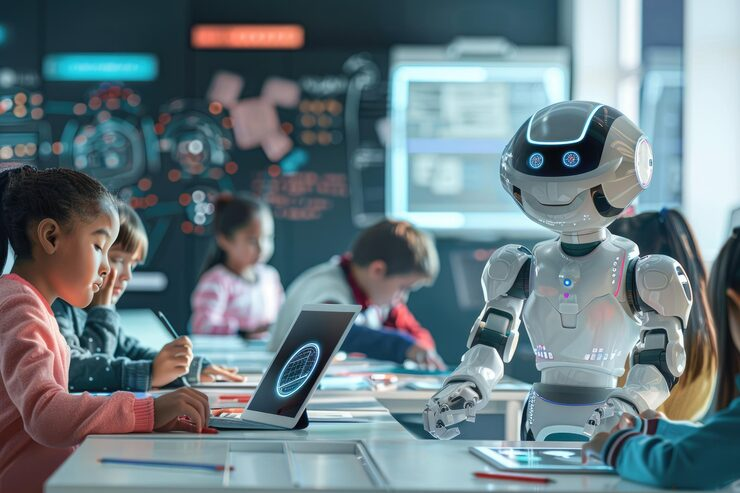
AI is no longer a futuristic concept but a present-day partner in special education. This post explores how teachers can use AI to build accessible, sensory-friendly, and multilingual environments while staying grounded in the latest professional standards.
I remember my first year teaching when “tech integration” meant wheeling a heavy TV cart into the room to watch a VHS tape. If you’re a new teacher in 2026, the world looks a lot different. We aren’t just using tools; we are co-teaching with algorithms.
But look, here’s the thing—the heart of what we do hasn’t changed. We still have that one student who shuts down during our 50-minute English block because the text is too dense, or the one in Financial Literacy who can’t grasp “interest rates” without a visual.
I’ve been digging into the CEC article on the Next Frontier of AI, and it confirms what I’ve felt in my gut: AI is here to simulate human comprehension and autonomy (CEC, 2025). It’s not replacing us. It’s making us “super-teachers.”
How Can AI Solve the “Content vs. Access” Problem?
In my experience, the biggest hurdle for our students with significant cognitive disabilities is the mechanical barrier to learning. They have the ideas, but they can’t get them out. Or they have the curiosity, but the “Traditional” textbook is a brick wall.
The Problem: One-Size-Fits-All Materials
When we move from English to Digital Literacy, the cognitive load shifts. A student might be great at navigating a touch screen but struggle to read the “Terms and Conditions.”
The Solution: AI-Powered Personalization
I’ve noticed that when I use AI to “simplify” a text, I’m not just making it easier—I’m making it accessible.
- Diffit: This is a lifesaver. You can take any article and instantly get it at a 2nd-grade reading level with vocabulary lists and comprehension questions.
- Speechify: For my students who struggle with focus, having a high-quality AI voice read the text while highlighting the words is surprisingly effective.
Quick Win: Take your next Financial Literacy prompt and run it through a “Formalizer” tool to remove idioms and complex metaphors that trip up our ELL and SPED learners.
Why Is AI the Ultimate Tool for Multilingual and Sensory Support?
Honestly, if I had to translate every visual support into four different languages by hand, I’d never sleep. Plus, we have to make sure our sensory learners aren’t being overwhelmed by the very tech meant to help them.
According to the CEC’s exploration of AI, we are seeing AI integrated into products to help with lesson planning and tailoring instruction. This is huge for our ELL students.
Multi-Language Visuals
- MagicSchool AI: I use this to generate bilingual rubrics and sentence starters in seconds.
- TalkingPoints: This app uses AI to bridge the language gap with parents, making sure they are partners in the IEP process.
Sensory Accommodations
AI can actually help us “clean up” the sensory space. I’ve started using AI tools to remove background noise from instructional videos and to create uncluttered, high-contrast graphics that don’t trigger a sensory shutdown.
Can AI Help With “Soft Skills” and Social Stories?
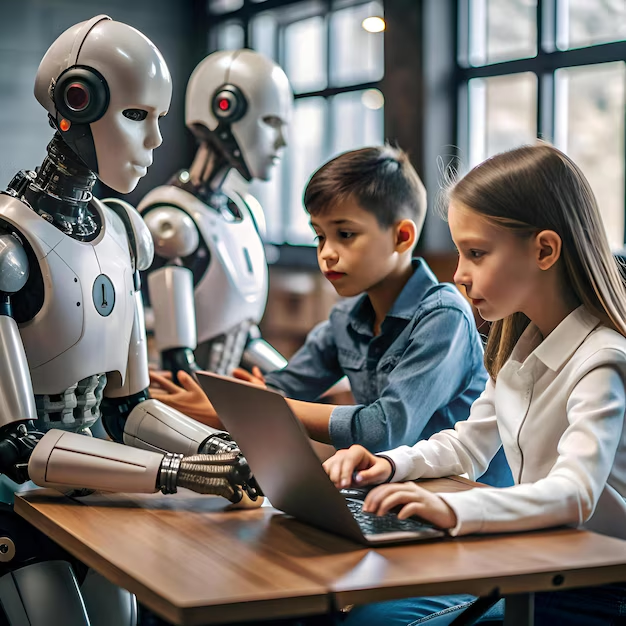
In my classroom, our 50-minute blocks are about more than just “Digital Literacy.” They are about workforce readiness. And that means social-emotional learning (SEL).
Personal Observation: Writing social stories used to take me an hour. Now? I use AI to draft the “Skeleton” and then I add the “Heart.”
The AI Social Story Script:
I use a prompt like: “Write a social story about a student who feels frustrated when their tablet battery dies. Include sensory-friendly language and a ‘First/Then’ choice.”
- TeacherToolAI: They have a built-in social story generator that is tailor-made for our world.
The Next Frontier in Special Education isn’t just about robots; it’s about using these algorithms to foster “comprehension and decision-making” (CEC, 2025). When a student uses an AI-generated story to navigate a transition, they are building autonomy.
How Do We Keep the “Human” in the AI Loop?
New teacher, here’s the most important part of our “coaching session” today. AI is a tool, not a savior. It can draft an IEP goal, but it can’t see the look of pride on a student’s face when they finally log in on their own.
Data-Backed Reality: Research from 2026 shows that while 60% of educators plan to use AI-enhanced tools, the “interpretation of insights still depends on educators’ expertise” (Research.com, 2026).
We have to be the ones to say, “The AI suggested this goal, but I know my student needs more work on their motor skills first.” We use the AI to simplify the paperwork so we can do the heart-work.
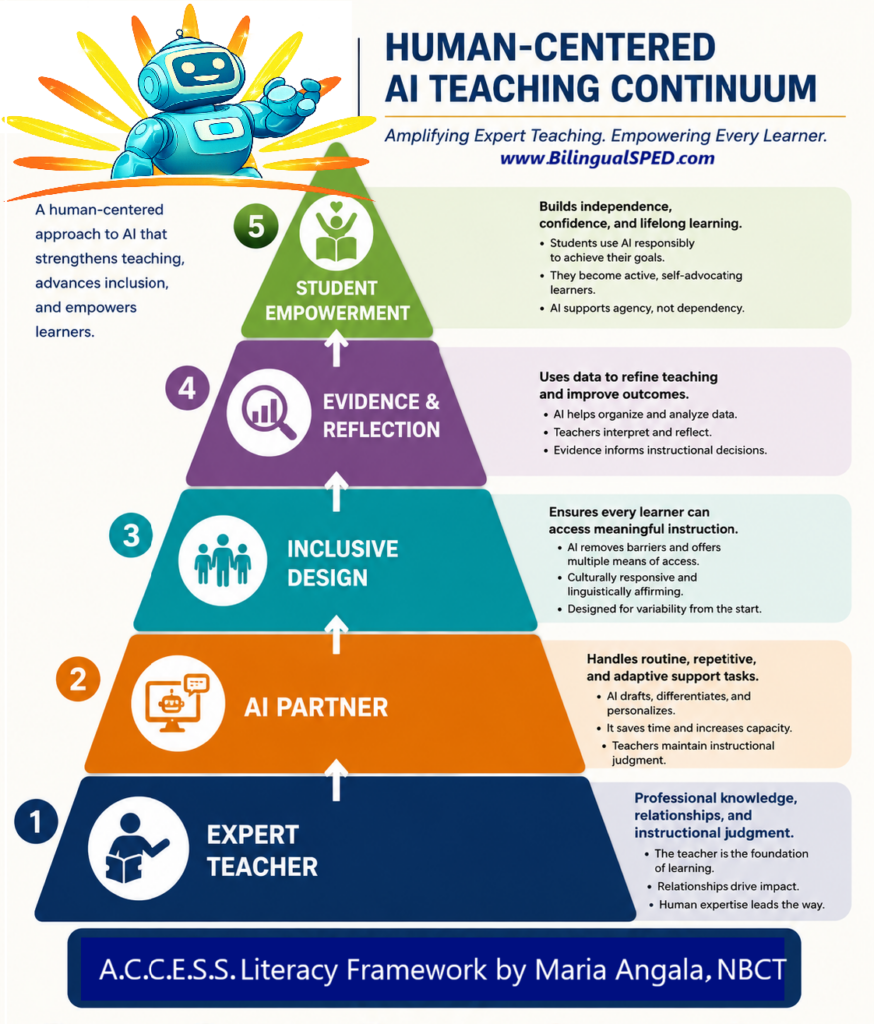
I developed a Human-Centered AI Teaching Continuum embedded within the A.C.C.E.S.S. Literacy Framework to guide educators in using AI ethically and effectively to amplify expert teaching for multilingual learners and students with disabilities.
Final Thoughts: Crossing the Frontier Together
The CEC article ends with a look at how AI will continue to shape our lives in the years to come. I truly believe that for us in Special Education, this is the most exciting time to be in the classroom. We finally have the tools to meet every student exactly where they are—without burning ourselves out in the process.
But don’t try to do it all at once. Pick one block—maybe your 50-minute Digital Literacy academy—and try one new AI support this week.
Ready to Lead the Frontier?
Don’t get left behind in the “Paperwork Era.”
Your Action Plan:
- The 10-Minute AI Trial: Try using an AI tool to summarize your next parent newsletter.
- Visual Check: Use an AI image generator to create one custom “Kitchen Safety” visual for your life skills lesson.
- Stay in the Think-Tank:
Reflection Question: When you think about the “Next Frontier” of your classroom, what is the one repetitive task that drains your energy? How could an AI “Secretary” help you reclaim that time for your students?
When I think about the “Next Frontier” of my classroom, one repetitive task that consistently drains my energy is creating differentiated reading materials and exercises for struggling learners. Preparing passages, comprehension questions, and activities that match varying reading levels takes a significant amount of time, especially when I want them to be engaging, contextualized, and aligned with my lesson objectives.
An AI “Secretary” could help me reclaim this time by quickly generating leveled reading passages, targeted comprehension questions, and interactive activities based on specific skills (e.g., short vowel sounds, CVC words, or simple comprehension). It could also assist in modifying tasks into scaffolded versions rather than simplified ones, ensuring that all learners work toward the same learning goal with appropriate support.
By delegating these repetitive preparation tasks to AI, I can focus more on what truly matters—guiding my learners, providing feedback, and supporting their individual needs in real time. This shift would allow me to be more present in the classroom and more responsive to my students’ learning experiences.
Joyce,
The “Next Frontier” you are describing—moving from being a content creator to being an instructional architect—is exactly where AI shines in the classroom. You’ve identified the most exhausting part of the job: the “preparation tax” we pay just to make a lesson accessible to everyone.
Your focus on using AI to create scaffolded versions rather than simplified ones is the key to maintaining high expectations for all your learners.
– How an AI “Secretary” Reclaims Your Energy
Leveled Text Generation: Instead of searching for hours, you can feed AI a complex story and ask for a “Grade 2 version” or a “CVC-only version” in seconds.
Instant Scaffold Creation: You can ask AI to “Write 5 sentence starters for this passage” or “Create a bilingual glossary for these 10 keywords.”
Data-Driven Differentiation: If you know a group struggles with short vowels, AI can generate 20 practice sentences specifically using those sounds, saving you a massive amount of typing.
– The Shift in Your Role
By delegating the “busy work” of typing and formatting to AI:
Active Guidance: You are free to move around the room and listen to students read.
High-Quality Feedback: You can spend your energy analyzing why a student is stuck rather than just grading another worksheet.
Real-Time Response: You can adjust your lesson mid-stream because you aren’t tied to a rigid, pre-printed plan.
– The takeaway: AI doesn’t replace the teacher; it replaces the teacher’s clerical burden. It allows you to be the “Human in the Loop” who provides the empathy and feedback that a machine never can.
“AI is not here to replace teachers, AI is here to make us super teacher.” The responsible use of AI in teaching and learning provides educators the extra power needed to make teaching and learning more meaningful and effective. AI is a tool and not a substitute to teacher’s creativity, ability to animate the class, and skills.
I love it, Sir Beryl. AI functions as a “Super Suit” for educators, enhancing their capacity for high-impact teaching rather than replacing human creativity and animation. By automating labor-intensive tasks like lesson planning and differentiation, AI allows teachers to focus on empathy, relationship-building, and fostering meaningful learning. The technology acts as a force multiplier, managing information to enable teacher-led student transformation.
As a Grade 2 teacher, one of the most draining parts of my day isn’t actually teaching—it’s the constant cycle of repetitive paperwork. Checking worksheets, recording scores, organizing attendance, and rewriting the same notes or reminders over and over can quietly take up so much time and energy. By the end of it, I sometimes feel like I’ve spent more time managing tasks than truly connecting with my students.
If I imagine the “next frontier” of my classroom, having an AI “secretary” to take care of these routine tasks would make a meaningful difference. It could help check simple work, organize records, draft messages to parents, and keep everything in order behind the scenes. That would give me back something incredibly valuable—time and attention.
With that time, I could sit longer with a child who is struggling to read, listen more closely to a student who needs to be heard, or create more engaging and joyful learning experiences. I could focus on guiding, encouraging, and understanding my students—not just managing their outputs.
At this level, my students don’t just need instruction—they need presence, patience, and care. If AI can take some of the weight off the repetitive tasks, then I can give more of myself to the moments that truly matter in a child’s learning and growth.
Angela,
That is a profound perspective on the “emotional economy” of teaching. You’ve pinpointed the most invisible thief of student success: teacher burnout caused by administrative friction. In Grade 2, where social-emotional learning is just as vital as literacy, your “presence” is the most powerful resource in the room.
When an AI “secretary” handles the mechanical tasks, it effectively converts paperwork back into people work.
– Reclaiming the “Moments That Matter”
From Checking to Connecting: If AI handles the “Correct/Incorrect” of a worksheet, you spend that time discussing the process with the student.
From Drafting to Deep Listening: Using AI to draft parent updates in seconds means you have five extra minutes to help a frustrated child regulate their emotions.
From Recording to Responding: Automated attendance and record-keeping allow you to start your day with a “Morning Circle” instead of a clipboard.
– The “Super Teacher” Shift in Grade 2
Scaffold Creator: Use AI to quickly generate three different versions of a reading prompt so you can meet students exactly where they are.
Observation Partner: While AI tracks the data, you can track the behavior and nuance—noticing that a child is rubbing their eyes or that another finally gained the confidence to raise their hand.
Creative Engine: AI can suggest 10 “brain break” games or a quick story featuring your students’ names to keep the energy joyful.
– The takeaway: AI is the “oil” for the machine, but you are the heart. By automating the routine, you ensure that your students get the best version of you—the version that has the patience to listen and the energy to care.
The repetitive tasks that drain energy are the administrative tasks of revising lesson plans and materials.
AI can help reclaim time by acting as an assistant that simplifies paperwork and so teachers can focus on educating and supporting learners.
This post mentions that AI tools can generate materials in seconds; reducing laborious tasks and giving teachers back their time.
Yes, Sam. Utilizing AI as a high-speed assistant enables educators to drastically reduce time spent on administrative tasks, such as differentiating lesson plans and generating materials, transforming hours of labor into minutes of review. This approach shifts focus from tedious paperwork to direct student support and strategic instruction, effectively reclaiming educator energy.
In the “Next Frontier” of my classroom, the one repetitive task that is quite overwhelming for me is the differentiating materials and grading written work. Since my students varies in their comprehension levels and language abilities, I find myself spending hours manually adapting questions, simplifying texts, and modifying strategies that will suit them better, or ways on how to repeat the lesson effectively. Furthermore, activities that are not quite suited to them.
But looking at the idea that AI isn’t just a buzzword, but a practical support system, I see a real opportunity. If I could use AI as a sort of “Secretary” to handle the heavy lifting like generating questions, creating differentiated worksheets, and rubrics to evaluate their learning, it would be a game-changer and less workload. Reclaiming that time would allow me to get back to what actually matters: the real-time teaching, the guidance, and addressing my students’ individual needs in a much more meaningful way. As what they said don’t work hard, work smarter. But it doesn’t mean that we need to be dependent all the time with the AI, still the teacher is the one who bears the hand in the classroom.
I hear you, Nicole. You’ve identified the “Preparation Paradox”—the more you care about reaching every student, the more you are buried under the paperwork of differentiation. It is exhausting to manually “translate” one lesson into three different versions every single night.
Using AI as a Strategic Secretary doesn’t make you a less dedicated teacher; it makes you a more available one.
– Reclaiming the “Work Smarter” Mindset
The Content Engine: You can take one complex Science or History text and ask AI to “Level this for a Grade 3 reading ability” and “Generate 3 literal and 2 inferential questions” in under a minute.
The Rubric Builder: Instead of staring at a blank page, you can ask AI to “Create a 4-point rubric for a Grade 6 essay on ‘Panghalip’ with a focus on grammar and clarity.” You then simply tweak it to fit your specific class.
The Strategy Suggestor: If a lesson didn’t land well, you can tell the AI: “My students struggled with division today. Give me 3 different real-life analogies to help them visualize sharing.”
– The Teacher “Bears the Hand”
As you wisely noted, AI provides the draft, but you provide the discernment.
AI doesn’t know that Juan needs more visual cues.
AI doesn’t know that Maria is currently going through a hard time at home.
AI doesn’t know the “vibe” of your room on a rainy Monday.
– The takeaway: By letting AI handle the “heavy lifting” of content creation, you preserve your “emotional energy” for the human connection. You move from being a factory worker producing worksheets to a mentor producing breakthroughs.
AI is more of a tool that is more of an assisting tool for teachers rather than the “new frontier”. Upon reading the article, the author clearly emphasized that AI can be used as a bridge to build gaps between topics that are complex for the learners and also those with specific needs. Some AI tools mentioned by the author, like MagicSchool and Diffit, can be used to aid the learners in transforming articles or sentences into understandable ones. These examples prove that AI can be a tool for equity, as it can give necessary benefits to assist students with their studies.
John, you’ve hit on a critical distinction: AI is most powerful when viewed as a tool for equity rather than just a shiny new gadget. By referencing tools like MagicSchool and Diffit, you’re highlighting how technology can solve the “accessibility gap” that has frustrated teachers for decades.
– Why AI as a “Bridge” Creates Equity
Instant Differentiation: It allows a teacher to give a student with dyslexia or a lower reading level the exact same information as their peers, but in a format they can actually decode.
Language Support: For multilingual learners, these tools can provide immediate translation or simplified syntax, ensuring they aren’t left behind during complex discussions.
Specific Needs: It acts as a “leveler,” providing the specific scaffolds (like summaries or vocabulary lists) that a student with a disability might need to access a high-level text.
– The “Bridge” vs. The “Destination”
The Tool: AI handles the heavy lifting of transforming the text (The “Bridge”).
The Teacher: You handle the instruction, the motivation, and the human connection (The “Destination”).
The Result: Every student, regardless of their starting point, has a clear path to the learning goal.
– The takeaway: When we use AI to “build gaps,” we are moving away from a one-size-fits-all classroom and toward a truly inclusive one where equity is the standard, not the exception.